
7. Notifications
This section explains how supervisors can view platform notifications and manage their notification preferences according to their communication needs.
7.1 Viewing Notifications
Supervisors can view recent platform updates and alerts through the notifications area.
1
Select the Notifications icon in the top navigation bar to view recent platform notifications.
7.2 Managing Notification Preferences
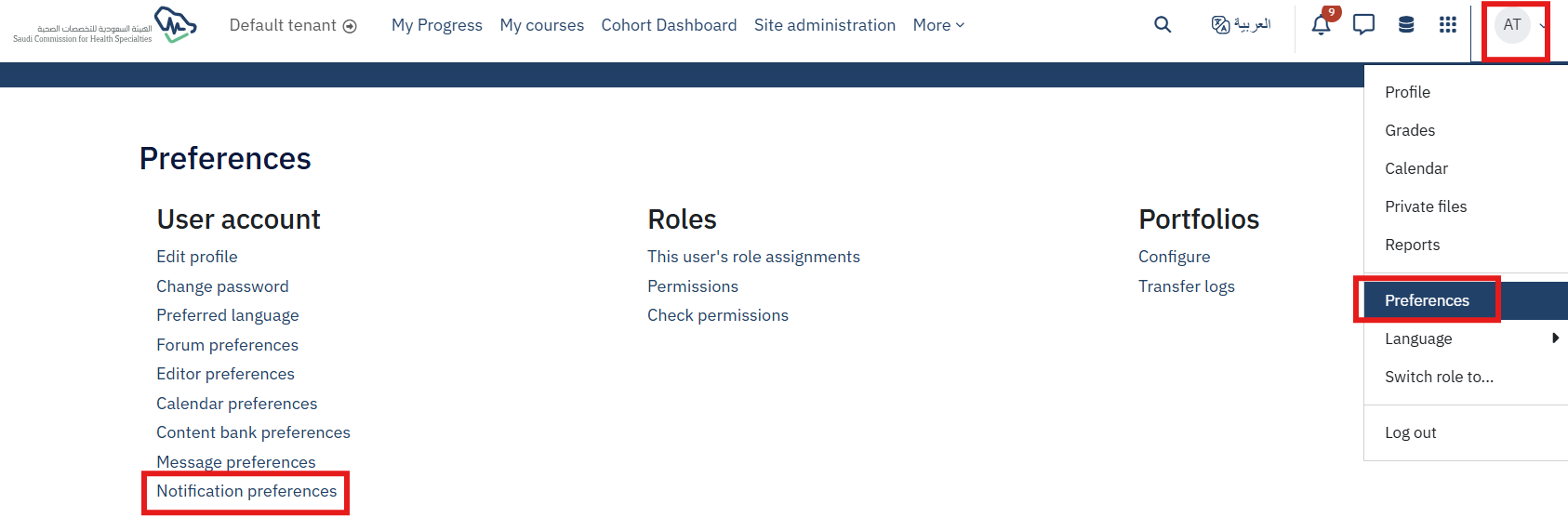
Supervisors can manage how they receive notifications by updating their notification preferences.
Navigate through the following path:
Profile → Preferences → Notification preferences
Managing notification settings helps supervisors stay informed about relevant learning activities and platform updates.
This is a non-production site