
6. Certificates and Achievements
This section explains how training completion is tracked, how to access your certificates, and how to view the badges and achievements earned throughout your learning journey.
6.1 Completing Training Requirements
Training completion is based on fulfilling the required activities and conditions defined within the training programme.
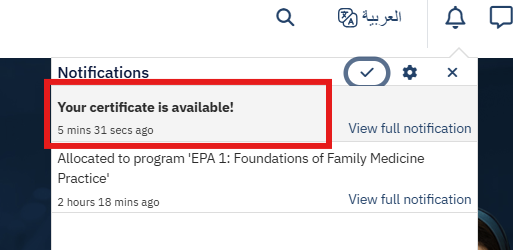
Once all completion requirements are met, certificates or badges will be automatically issued and you will receive a notification.
6.2 Accessing Certificates
Certificates provide official recognition of completed training activities or programmes. Once issued, trainees can access their certificates from the platform.
To access a certificate:
Navigate to your user area.
Open your profile.
Open the Certificates section.
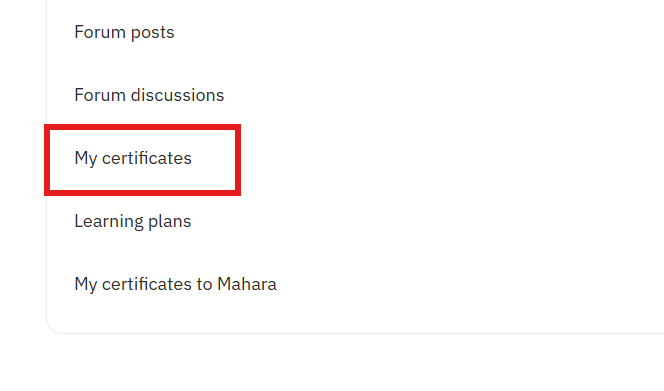
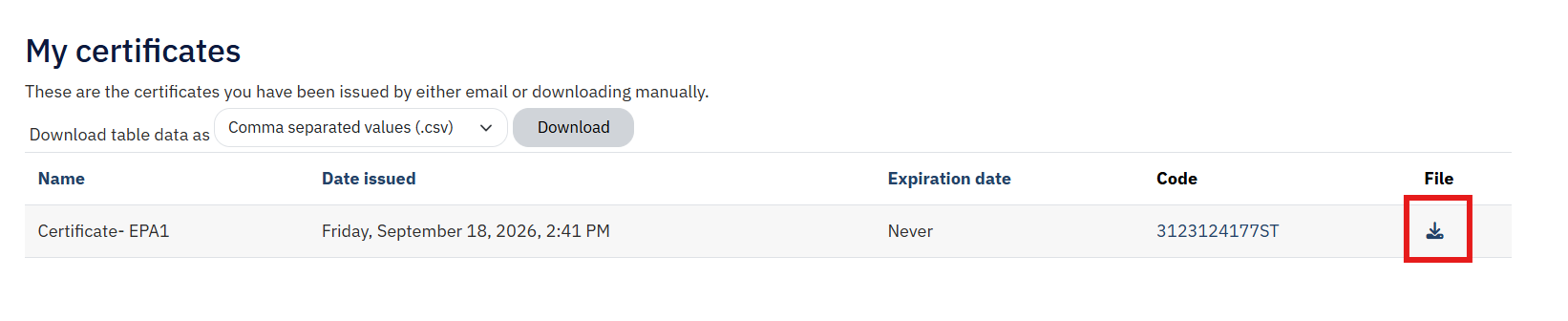
Select the certificate you want to view.
Download the certificate when available.
6.3 Viewing Badges and Achievements
Badges are digital achievements awarded to you when you complete specific learning requirements or demonstrate certain competencies.
Badges provide you with a visual record of your learning progress and accomplishments.
Viewing badges from the course page:
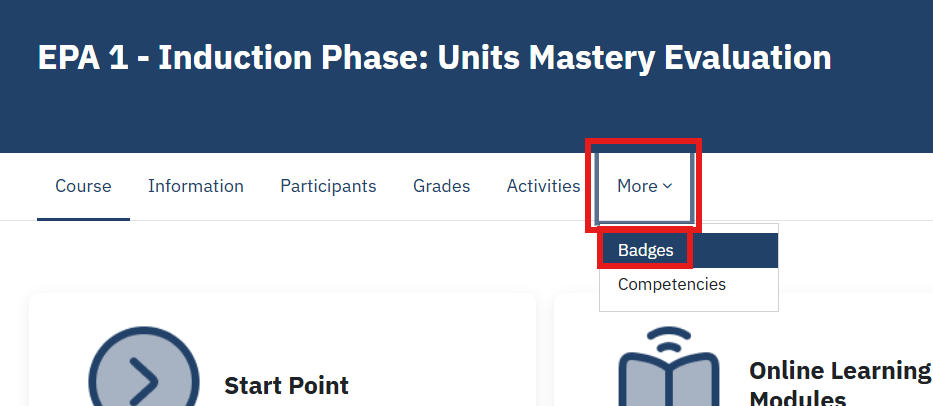
Navigate to the course page, select More, and then select Badges.
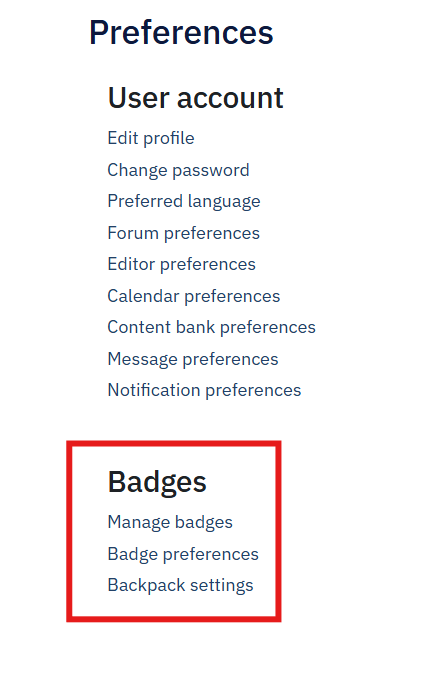
Viewing badges from your user menu:
Open the user menu, select Preferences, and then select Badges.
Certificates and badges provide a record of your completed training activities and achievements, allowing you to track and showcase your learning progress.