
4. Completing Assessments
This section explains how to complete quizzes and assignments within your courses. You will learn how to access assessments, submit your work, and review feedback and grades.
4.1 Completing Quizzes
Quizzes are online assessments designed to evaluate trainees’ knowledge and understanding of course content.
To complete a quiz:
Open the quiz activity within the course.
Review the quiz instructions.
Select Attempt quiz to begin.
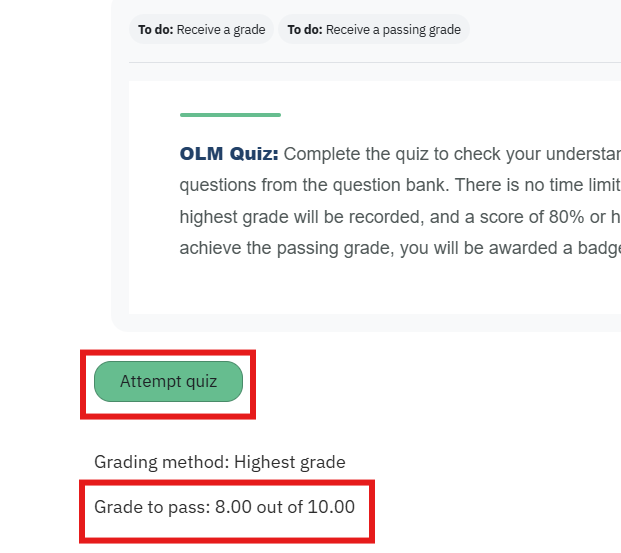
Answer all required questions.
Review your answers before submitting.
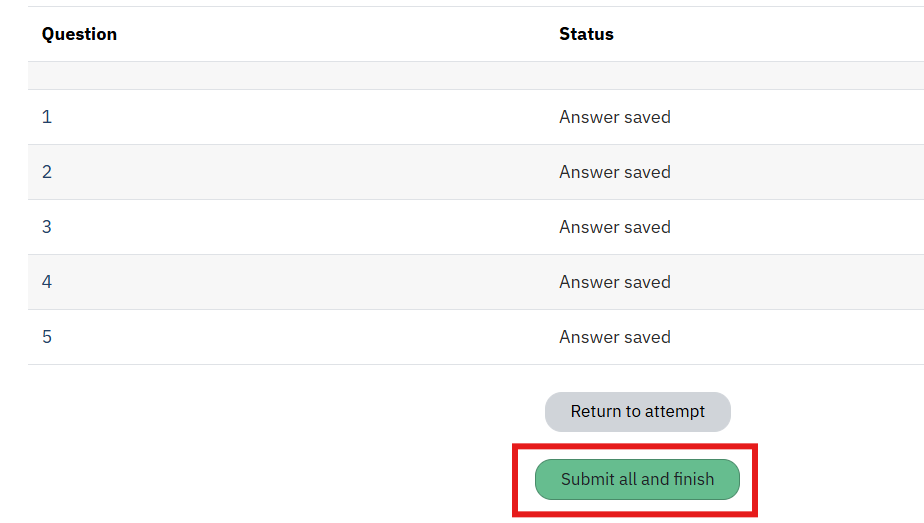
Select Finish attempt and then Submit all and Finish to complete the quiz.
4.2 Completing Assignments
Assignments allow you to submit work for review and evaluation.
To complete an assignment:
Open the assignment activity within the course.
Review the assignment instructions and submission requirements.
Prepare the required work.
Select Add submission.
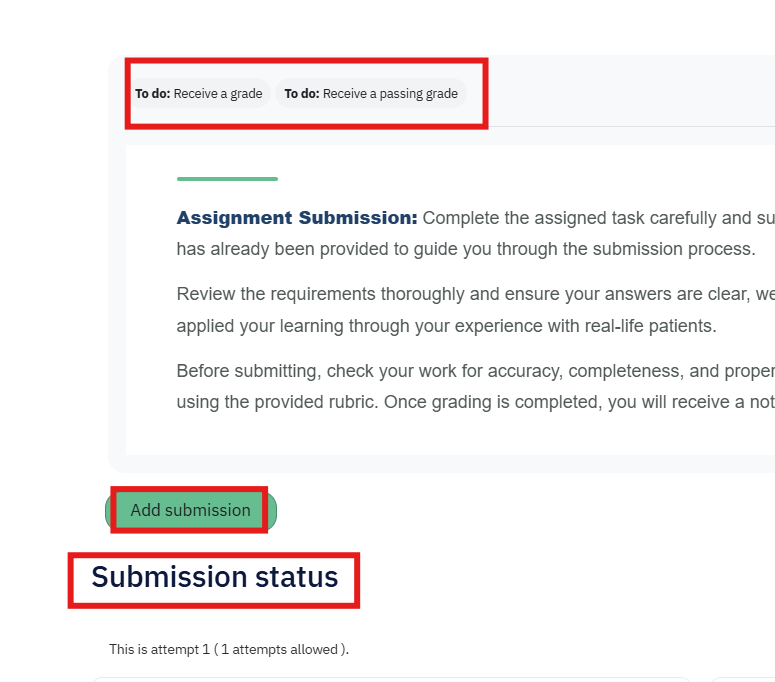
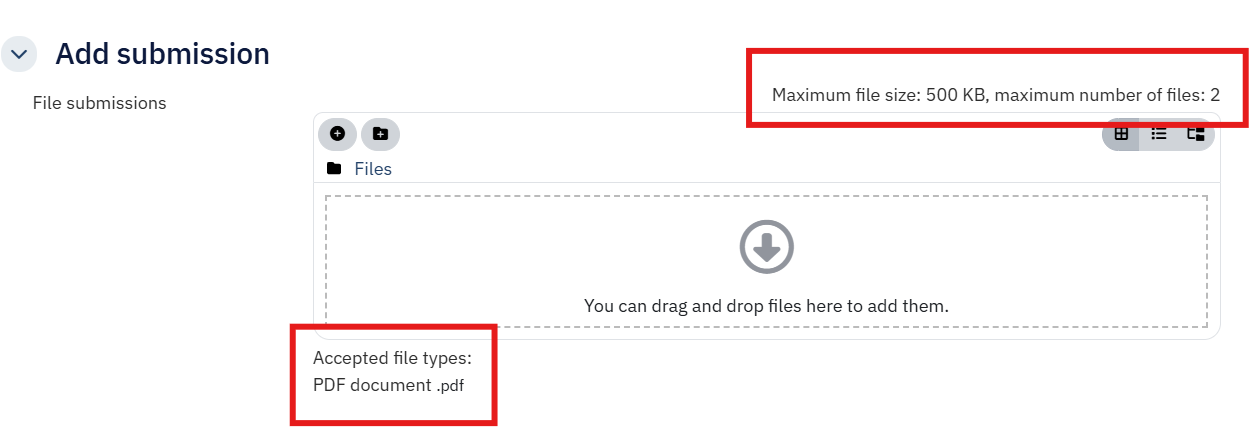
Upload the required file.
Submit the assignment for evaluation.
Monitoring Assignment Status
After submission, trainees can monitor the status of their assignment, including:
- Submission status.
- Grading status.
- Feedback provided by the assessor or supervisor.
Once the assignment has been reviewed, you can access your grade and feedback from the assignment page.
Completing quizzes and assignments allows you to demonstrate your understanding, track your progress, and receive feedback throughout your learning journey.