Trainee Guide
2. Understanding the Platform Navigation
This section explains how to access your assigned courses and programs, and introduces the structure of learning pathways available on the platform.
2.1 Finding Your Assigned Courses / Programs
To access your assigned courses or programs, follow the steps below.
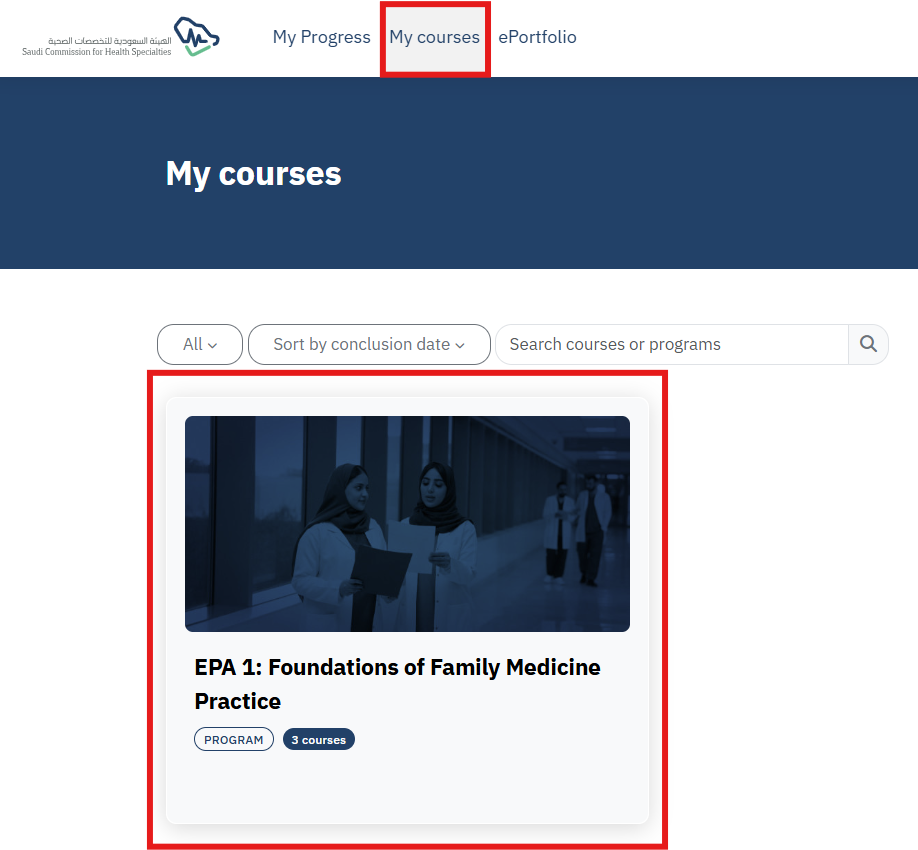
- Navigate to My Courses.
- Review the list of available courses or programs.
- Select the course or program you want to access.
2.2 Understanding Programs and Courses
The learning platform organises training content through Programs and Courses.
Programs
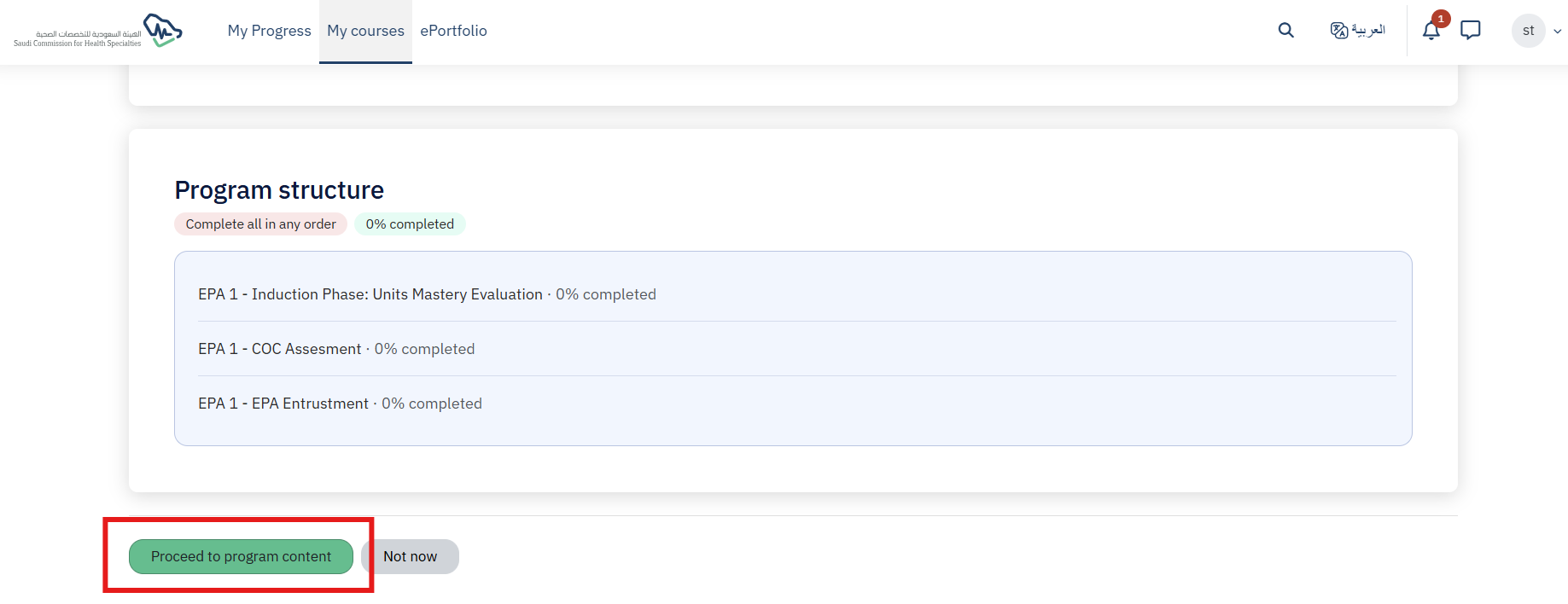
A Program represents a structured learning pathway that groups together multiple courses and activities required to achieve a specific training goal.
When accessing a program, you can view information about the training pathway. To begin the learning activities, select "Proceed to page content" at the end of the program page to access the available courses.
Courses
A Course is the main learning area where trainees access learning materials, complete activities, and track their progress.
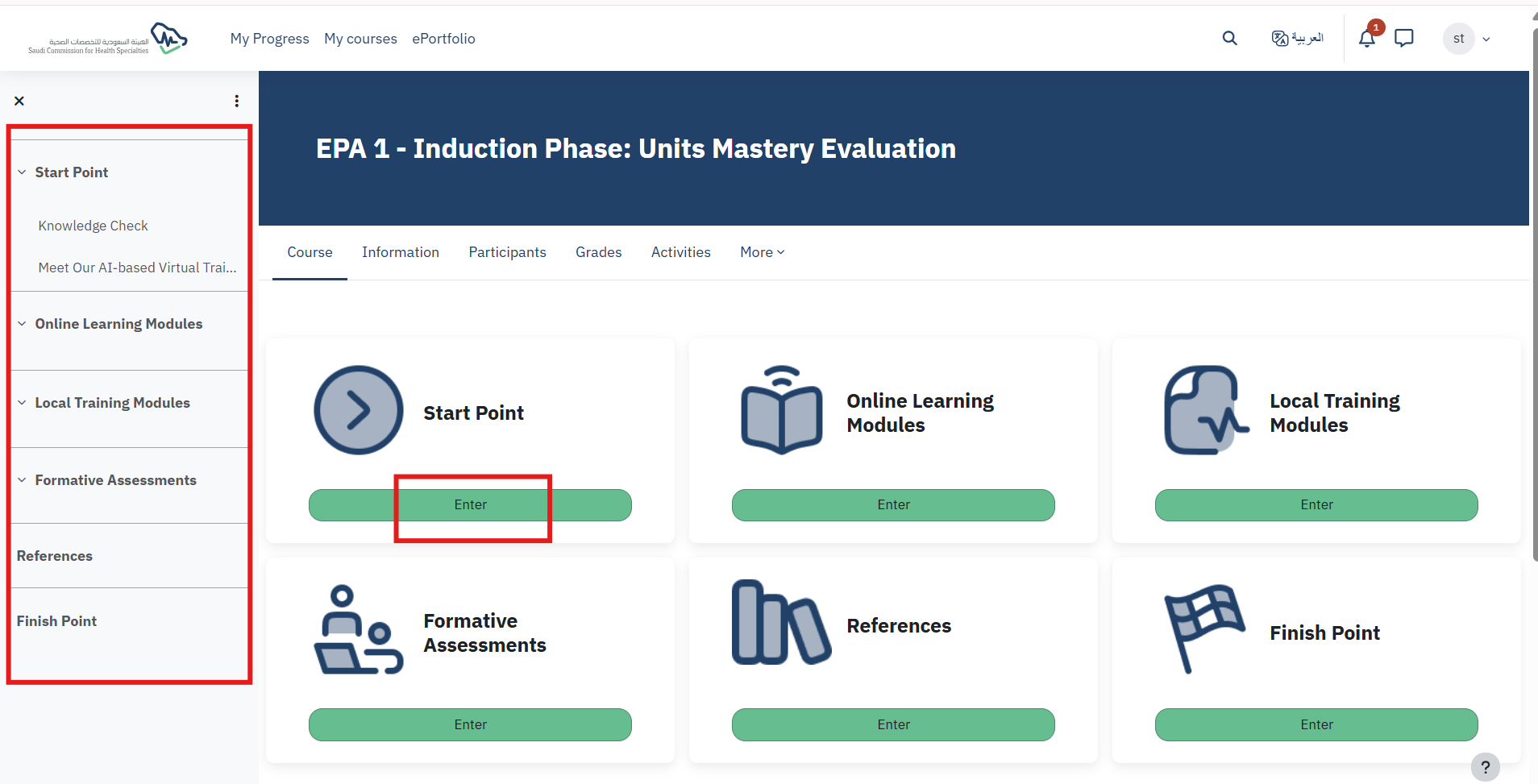
Each course page is organised into different sections or topics containing various learning activities.
Each course also includes an overview section on the side of the screen. You can start learning by selecting "Enter".
You should follow the course structure and complete the required activities according to the provided instructions. By completing the required courses and activities within a program, you progress toward completing your overall training pathway.