Trainer Guide
6. Reports
This section explains how supervisors can monitor trainee progress and access reports related to learning activities, course completion, and assessment results.
6.1 Trainee Progress Reports
Supervisors can monitor trainee progress through the platform by accessing the My Progress area.
By selecting My Progress, supervisors can view relevant information about their assigned trainees, including:
Activity Completion
Track the completion status of learning activities assigned to trainees.
Course Completion
Monitor the completion status of assigned courses.
Grades
Review trainee results and performance information from assessed activities.
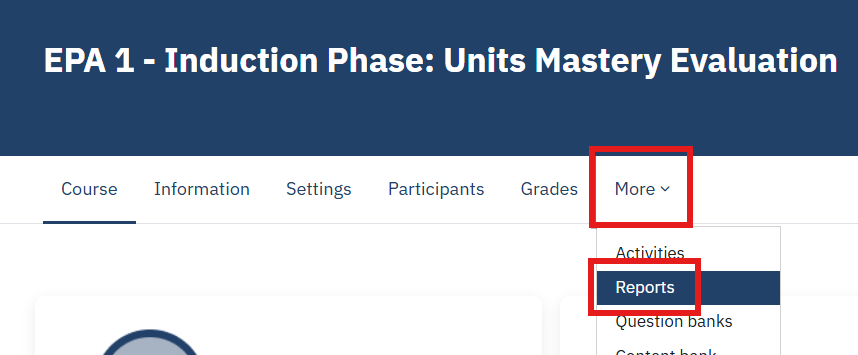
Trainee progress information can also be accessed through the individual trainee profile and the "My Progress" section in the toolbar of the course.
These reports help supervisors follow trainee development, identify pending activities, and provide appropriate support throughout the training journey.
Using progress reports allows supervisors to maintain visibility of trainee performance and ensure learners receive the necessary guidance throughout their training.